Nonoptimal Photography is a collection of custom cameras and their resulting images. Each camera has a unique capture function that subverts a user's expectation of what a camera should record. Each camera is designed to counter a hyper optimized aspect of computational photography.
I developed the camera hardware in 2025 using a Raspberry Pi Zero 2 as the base. Here I'd like to share my hardware development process and what lessons I learned along the way.
You can see more about the software development here.
One Pixel Camera
Conceptually this project started as a question about how modern "optimized" cameras have changed our relationship to photography, removing some of the chance and magic of the process. I started exploring this question by creating what might be the most absurd possible camera, a one pixel "camera."
For this I used a Raspberry Pi Pico microcontroller. I used a single color sensor, Adafruit AS7341, as the imaging sensor. A neopixel and two pushbuttons were added for playing back the captured "images." And of course a capture buttons for triggering readings from the sensor.

I made a rough prototype to do some user tests with the camera by fixing the components to a cardboard box.

The interaction with this device is pretty limited. You have to really get close to an object to accurately capture its color and the captured colors were only viewable on the neopixel, I didn't create a way of saving the images. When I tested the camera with others at first most people were confused, but once I showed them how it worked it became almost like a game, people started using it to explore their environment. It was fun to use and this confirmed my initial hunch that alternative digital cameras are something that myself and others would want to use.
If you want to build your own here is the code and links to all the components.
Raspberry Pi Camera
Moving on from the obvious limitations of the One Pixel Camera, I decided to switch to a different platform that allowed for high resolution images. I chose to use the Raspberry Pi Zero 2 board for several reasons; powerful for its size, low-energy consumption so could run off a battery, nice camera modules and extensive community documentation. All of these advantages allowed me to prototype a working camera with relative speed and ease.
I knew there would need to be some basic components for the final camera: a button to capture an image, a screen to frame compositions and see captured images, a way to review and delete images on the camera and a way to get the images off the camera easily. So I started by prototyping these features without any focus on form factor.

I decided to use the Raspberry Pi Camera Module 3 for the image sensor. My thinking was that the quality would be good enough for this project and the High Quality Module would be overkill since I would be manipulating the captures with non-optimal algorithms.
A small Adafruit ST7789 TFT was chosen for the screen. The most frustrating part of this first prototype was getting the image to be correctly positioned and orientated on the screen.

After some trial and error I got it working and could test some of the software that I was prototyping at the same time. For example here is a test that applies random amounts of jpeg compression to the image upon capture.

For controlling the playback, I knew that at least two buttons would be needed for cycling though the images forward and backwards. If I wanted to add buttons to delete an image then number of buttons, and complexity of wiring would start to add up. I found this 5 way navigation button to be the perfect solution, one component would provide more than enough inputs. I wired up a quick circuit to test the buttons.
Once all the components were working I slapped them onto a piece of cardboard so that I could test the camera outside.

As I contemplated how to move the breadboard prototype to a permanent circuit, the thought of soldering up one prototype with all these components and wiring felt intimidating, making the seven cameras with protoboards felt impossible. I knew that creating a custom printed circuit board would make my life easier, but first I had to learn how to design a pcb.
PCB Design with Kicad
I decided to learn how layout a circuit using Kicad so that I could have the circuit boards fabricated at JLC. In theory this would save a lot of time and headache. A nice seven part Youtube Tutorial from Contextual Electronics got me to a basic understanding of the software and process. Thankfully a friend was willing to spend a Sunday afternoon working with me on my actual circuit design. I spent the next few days designing, and redesigning the board. It felt like a puzzle and a video game, trying to find an optimal arrangement of the components and drawing the paths connecting everything. I printed the design on paper, then created a rough cardboard enclosure to test how the design felt to hold.

This led to another round of iterating on the design but by the end of the week I had a design ready to send to the factory. You'll notice I used all through hole components. I did this so that I could solder my existing components directly on the circuit board.

With the design sent off to JLC, I had to wait a week to get the boards back to make sure they worked. I nervously soldered all the components to a board, put a raspberry pi in the header pins, and turned it on. To my utter amazement it worked!

In the end, this made the process of making multiple cameras so easy. In under 15 minutes I can solder everything to the board.
Enclosure
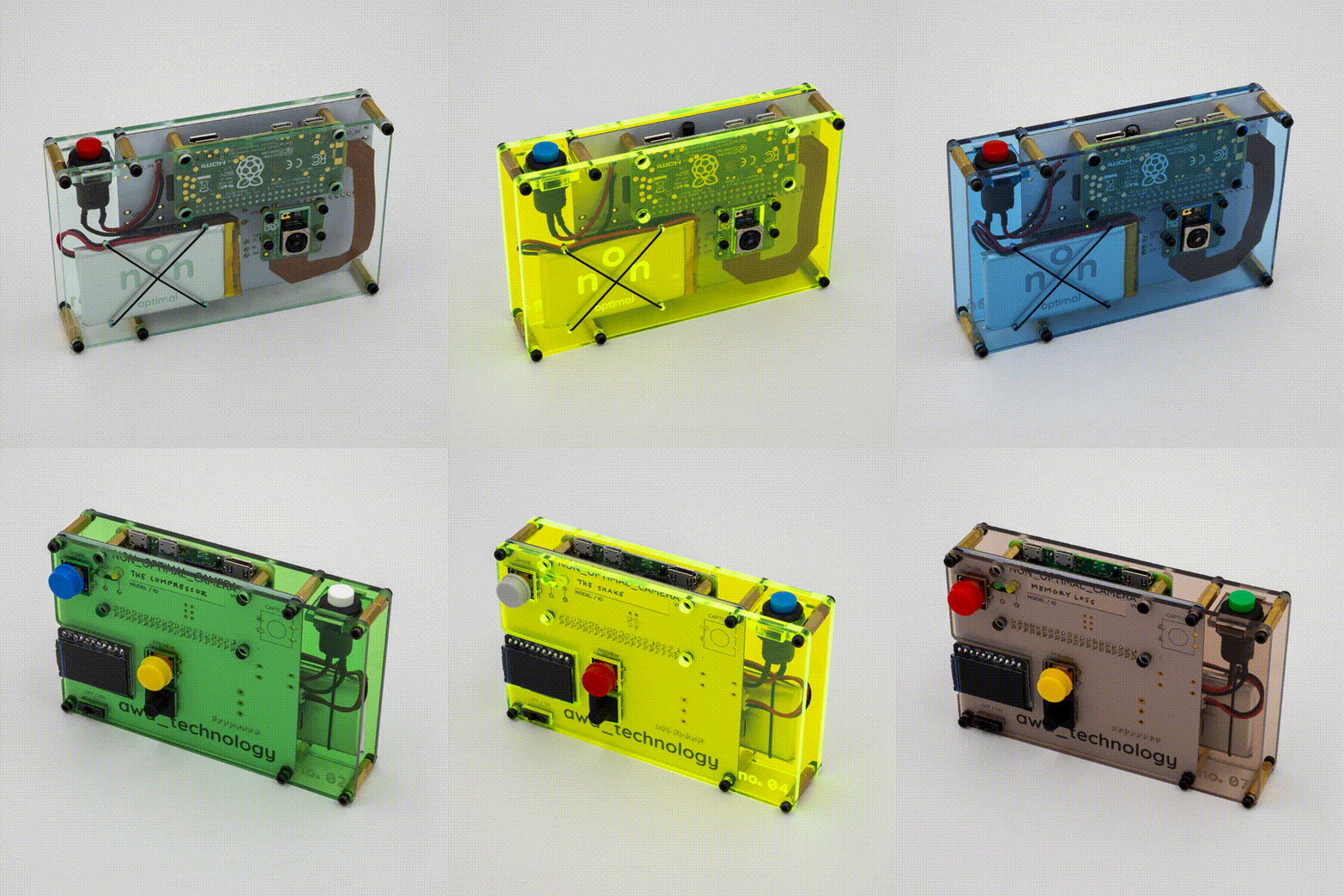
For the enclosure I just wanted something simple that would protect the components, but not hide them completely. I decided to laser cut a faceplate and backplate from acrylic plexiglass, using a different color for each camera. The two plates are held together with brass standoffs, sandwiching the circuit board. I used Rhino design software to create the cut files. Importing the pcb layout from KiCad allowed me to perfectly place the cutouts for the components and holes for the standoffs. I decided to etch a logo onto the back of the frontplate, so that from the front it was smooth to the touch.

Putting everything together was a fairly simple process, I could assemble the enclosure in about 15 minutes.
Flex Cable
I was almost finished with the hardware design. But one thing that was bothering me was the camera cable.

With the tight confines of my enclosure I had two options; simply bend and fold a long cable to fit in the tight space, or design my own flexible pcb to connect the Raspberry Pi to camera module. Of course I chose the more difficult path and decided that having a custom cable would be tops.
Having a digital footprint of the circuit from KiCad and the enclosure in Rhino allowed me to determine the outline of the cable, a kind of G shape that would connect the two modules perfectly.

I sent the cables off to be fabricated, again choosing to use JLC. A week later they arrived, looked good, fit perfectly in the components, everything seemed good. When I turned on the camera it instantly shorted, the screen would not turn on and I was seeing scary led lights on the pi. I realized that I must have connected the pins incorrectly.
Digging into the datasheets and my design, I realized that on the KiCad footprint I had the pads in the wrong orientation and they needed to be flipped 180 degrees.

With the change made, and a few other improvements, I sent another order out. When it came back they worked perfectly this time. Phew! A good reminder to double and triple check your work.
Breakouts
Not knowing if future cameras in the Nonoptimal series would need additional components, I left a few gpio pins open on the board. Two cameras, no04 - The Shake and no06 - Off-Kilter made use of these.

I tested the interaction using simple circuit prototypes before soldering them onto the camera board. On the left you can see a green light only turning on when the orientation of the board is tilted between around 20 to 80 degrees. On the right you can see the green light only turns on when the board is shaken vigorously.
Final Build
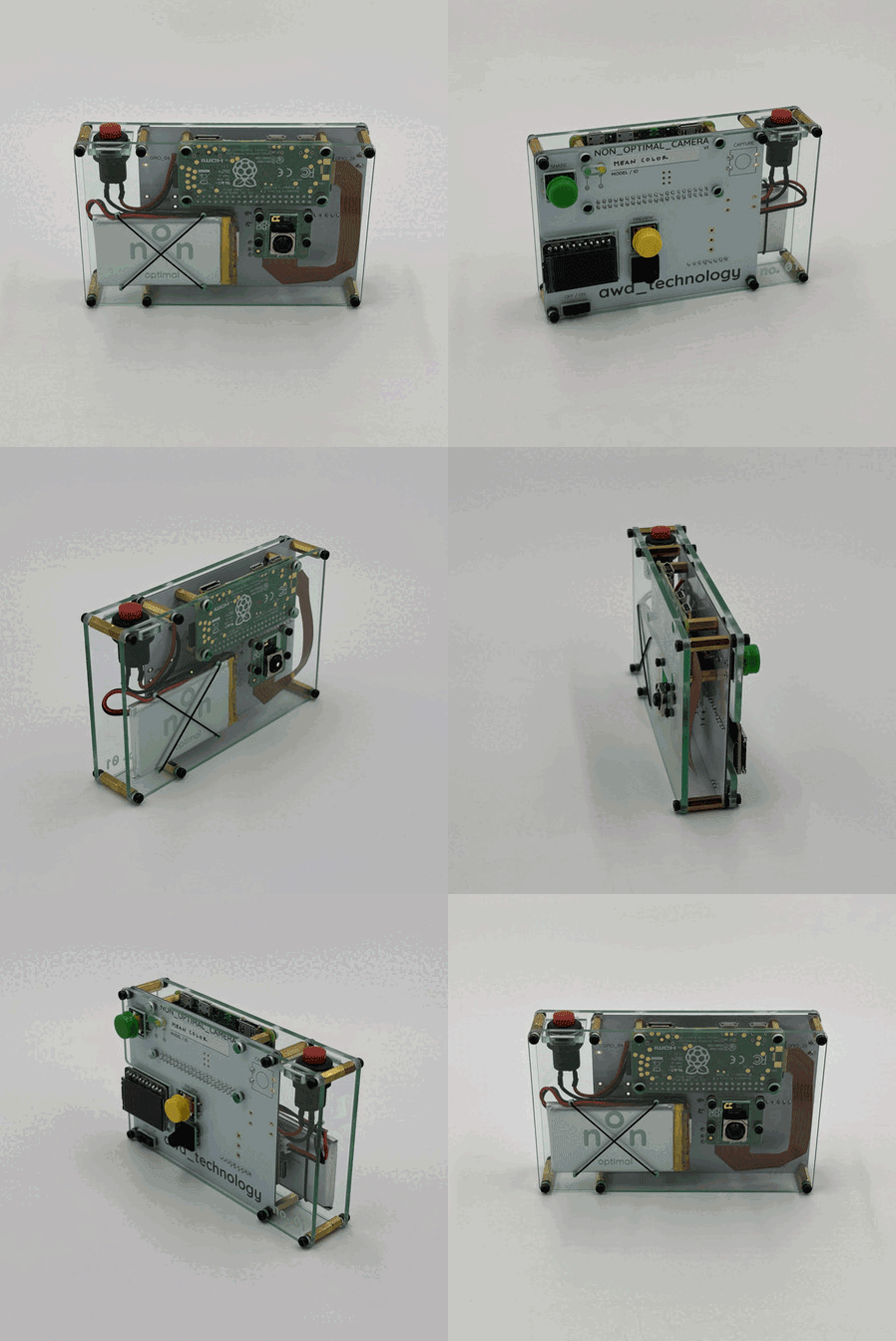
Here is the final outcome.
Full List of Components Used
- Raspberry Pi Zero 2
- Raspberry Pi Camera Module 3
- Flex PCB cable, 22pin to 15pin
- Green LED, 3mm
- Yellow LED, 3mm
- 2 x 220 Ω Resistor
- Seed Studio Lipo Rider Plus
- Lipo Battery, 3.7V 1200mAh
- Fast Vibration Switch
- Tilt Ball Switch
- Five Direction Navigation Switch
- Panel Mount Push Button
- 3 x Tactile Button
- Lots of M2 screws and standoffs
Resources
- Github Repository - includes code, pcb files and enclosure files.